Welcome to the No1: Ultimate Arduino Projects Hub
Welcome to the ultimate destination for everything related to Arduino projects, open-source electronics, and DIY innovation. Whether you are a complete beginner taking your first steps into the world of microcontrollers or an experienced maker looking for your next complex build, you have landed in the right place.
Arduino has completely revolutionized the way we think about automation, robotics, and smart technology. It bridges the gap between software and hardware, allowing anyone with a passion for learning to bring their creative ideas to life. On this page, we bring you a curated collection of data, step-by-step guides, and high-quality resources to fuel your making journey.
Why Explore Arduino Projects?
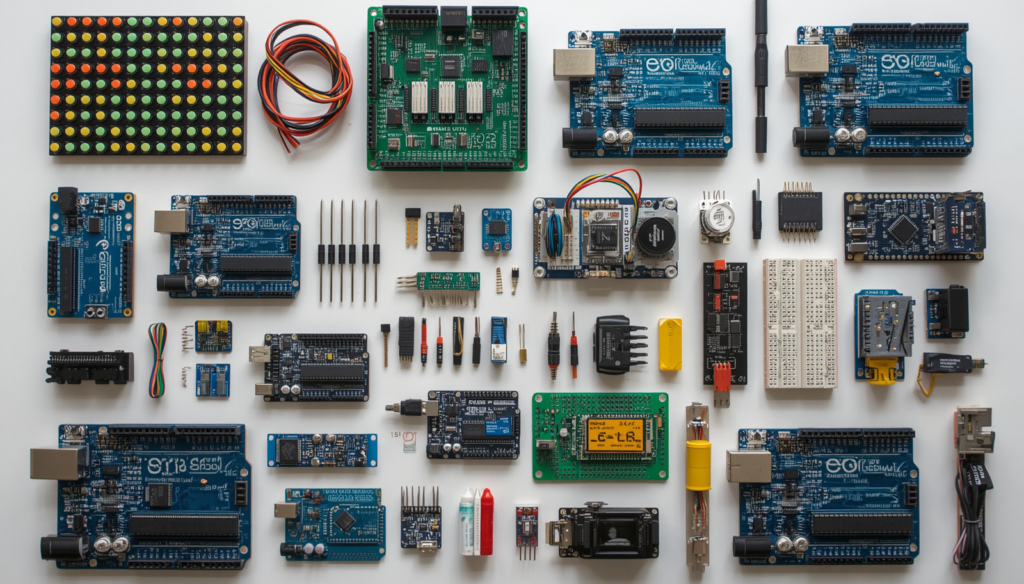
Arduino boards (like the Arduino Uno, Nano, and Mega) are incredibly versatile. They act as the “brain” of your circuits, reading inputs from various sensors—like light, temperature, or motion—and turning them into outputs, such as turning on an LED, driving a motor, or sending data online.
By working on practical projects, you don’t just learn theoretical coding; you see your code working in the real world. It improves your problem-solving skills, teaches you basic electronics, and introduces you to C/C++ programming in a fun, hands-on way.
What You Will Find on This Page
We are constantly updating this sub-page with high-quality content divided into different expertise levels:
1. Beginner-Friendly Projects
If you just opened your first Arduino starter kit, don’t worry! We have simple, straightforward guides to get you comfortable with the board. You will learn how to blink LEDs, use push buttons, work with breadboards, and interface basic sensors like the HC-SR04 Ultrasonic sensor or DHT11 Temperature sensor.
2. Intermediate & Advanced Automation
Ready to level up? Explore our intermediate projects that involve motor drivers, LCD displays, and servo motors. From building your own obstacle-avoiding robot to creating a smart home automation system using Bluetooth (HC-05) or Wi-Fi (ESP8266/ESP32), we provide complete circuit diagrams and clean, well-commented code.
3. Detailed Circuit Data & Code Repositories
Every project featured here comes with absolute clarity. We provide:
- Component Lists: Exactly what sensors, modules, and wires you need.
- Schematics & Wiring Diagrams: Clear visual guides so you never miswire a component.
- Tested Source Code: Ready-to-use code that you can copy, paste, and modify easily
Tips for Arduino Success
Before you dive into the articles below, keep these quick tips in mind:
- Double-Check Your Wiring: Always check your connections before powering up your Arduino board to prevent short circuits.
- Understand, Don’t Just Copy: Try to read through the code comments to understand how a specific function works.
- Start Small: Master the basic sensors first before combining them into a massive project.
Start Building Your Next Big Project Today!
The world of electronics and microcontrollers is limited only by your imagination. Every expert maker you see today started exactly where you are sitting right now—with a simple board, a handful of jumper wires, and a spark of curiosity.
To help you transition from reading to actual making, we have structured our resources to guide you through every stage of development. Here is how you can get started right away:
- Explore Our Latest Articles: Browse through our curated list of Arduino projects below. We cover everything from basic sensor integration to advanced IoT (Internet of Things) applications.
- Gather Your Components: Every project guide includes a complete bill of materials (BOM). Gather your Arduino board, sensors, breadboard, and components before you begin.
- Set Up Your Environment: Fire up the Arduino IDE on your computer, ensure your board and port settings are correctly configured, and prepare to upload your sketch.
- Experiment and Modify: Don’t just upload the code! Try changing the variables, altering the delay times, or adding new components to understand how the system reacts.
The best way to learn electronics is by doing, failing, troubleshooting, and finally seeing your creation work. Take your time, explore the step-by-step tutorials below, and start building something truly amazing today!