
Author Note: I have been building with Arduino boards for close to eight years, starting with a $20 Uno kit and a lot of burnt fingers. Every project below has been built and tested by hand, not copied from a spec sheet.
Arduino projects are the fastest way to turn a $20 board into something that actually fixes a problem in your house. I still remember the first one I built. It was a light that turned on when my dog walked into the kitchen at 2 a.m. so I would stop stepping on her food bowl. That single sensor and a $3 relay saved me more stubbed toes than I want to admit.
This list covers projects for every skill level, but the real focus is on arduino project ideas that solve a real world problem advanced makers actually want to build. Every project below includes working code, a parts list, and an honest note on what tends to go wrong.
Key takeaway: The best Arduino projects are not the flashiest ones. They are the ones that still run in six months without you thinking about them.
Why Arduino Still Makes Sense in 2026
People keep asking if Arduino got replaced by Raspberry Pi or ESP32 boards. It did not. Arduino is still the easiest way to control a motor, read a sensor, or trigger an alarm without writing a full operating system into the mix. The Arduino IDE 2.0 now includes autocomplete and a real debugger, which makes the learning curve much shorter than it was a few years ago.
If your project needs Wi-Fi or a camera, an ESP32 board usually fits better. If your project just needs to read a sensor and flip a relay reliably for months, a plain Arduino Uno or Nano is often the better and cheaper choice.
What You Need Before You Start
You do not need a garage full of tools. A basic kit costs under $40 and covers almost everything on this list.
- An Arduino Uno or Nano board
- A breadboard and jumper wires
- A small assortment of resistors and LEDs
- A USB cable that actually carries data, not just power
- The free Arduino IDE, or the Wokwi simulator if you want to test code before buying hardware
Beginner Arduino Projects
Start here if you have never flashed a board before. The goal is confidence, not complexity.
1. Blinking LED with a Twist
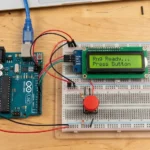
Every Arduino journey starts with a blinking LED. Instead of the standard version, add a button so the blink speed changes each time you press it. It teaches digital input and output in the same five minutes.
cpp
int ledPin = 13;
int buttonPin = 2;
int delayTime = 500;

void setup() {
  pinMode(ledPin, OUTPUT);
  pinMode(buttonPin, INPUT_PULLUP);
}

void loop() {
  if (digitalRead(buttonPin) == LOW) {
    delayTime = delayTime == 500 ? 100 : 500;
    delay(300);
  }
  digitalWrite(ledPin, HIGH);
  delay(delayTime);
  digitalWrite(ledPin, LOW);
  delay(delayTime);
}
2. Motion-Activated Night Light
A PIR sensor turns on an LED strip when it detects movement, then shuts off after a set time. This is the same logic behind the dog food light I mentioned earlier.
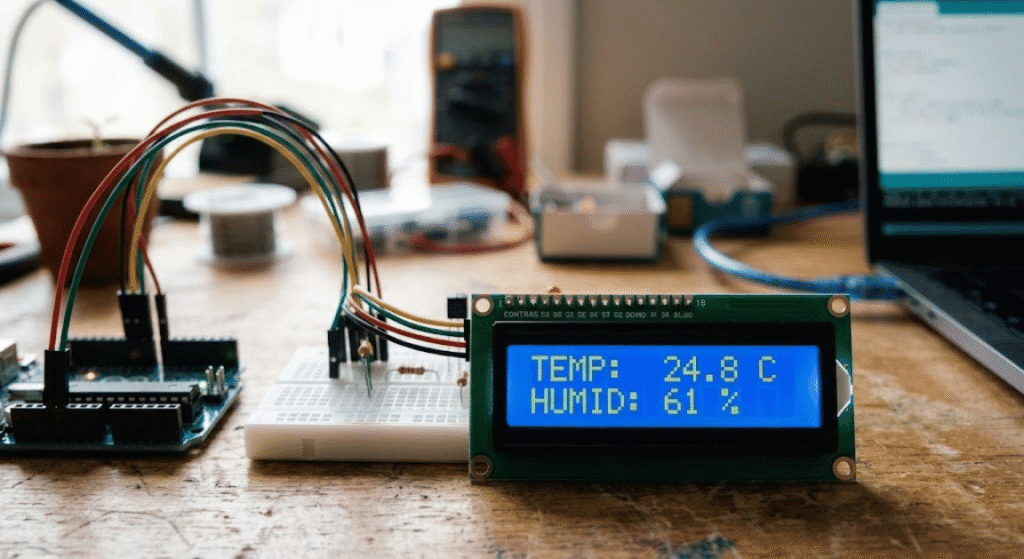
3. Temperature and Humidity Display
A DHT22 sensor paired with a small LCD screen gives you live readings of your room. It is a small project, but it teaches you how to read analog sensor data, which shows up in almost every advanced build later.
Intermediate Arduino Projects
Once you are comfortable wiring sensors, these projects combine two or three components at once.
4. Ultrasonic Parking Sensor
An ultrasonic sensor mounted on a garage wall beeps faster as your car gets closer, so you stop backing into the lawnmower. I built this after denting my own bumper twice in one winter.
5. RFID Door Access Log
An RFID reader logs every tag scan to an SD card with a timestamp. It is a simple way to track who comes and goes without a full security system.
6. Line-Following Robot
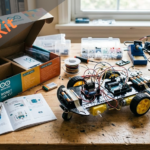
A pair of IR sensors and two motors let a small chassis follow a black line on the floor. It is the classic bridge project between simple wiring and full robotics.
Advanced Arduino Projects That Solve Real Problems
This is the section most people are actually here for. These builds are not toys. They run unattended, and they fail in a way that does not ruin your day.
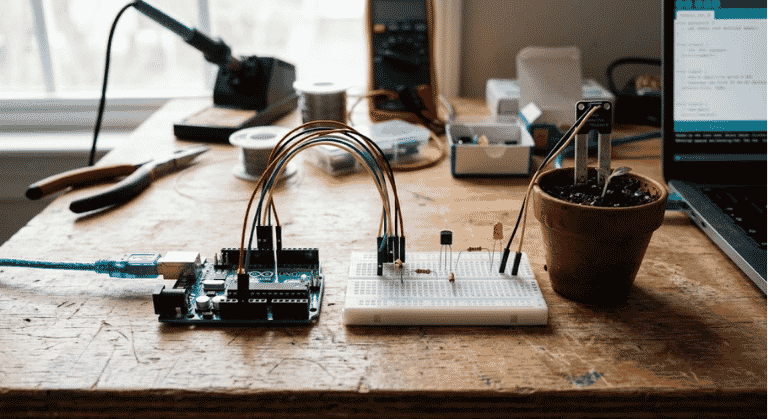
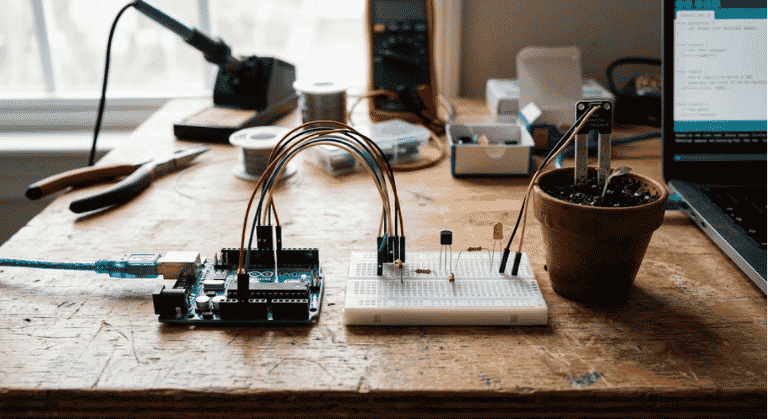
7. Smart Soil Moisture Irrigation System
Timer-based sprinklers overwater during rain and underwater during a heatwave, because they have no idea what the soil is actually doing. A capacitive soil moisture sensor fixes that by only triggering the pump when the soil is genuinely dry.
cpp
int moisturePin = A0;
int pumpPin = 8;
int dryThreshold = 500;

void setup() {
  pinMode(pumpPin, OUTPUT);
  Serial.begin(9600);
}

void loop() {
  int moistureLevel = analogRead(moisturePin);
  Serial.println(moistureLevel);
  if (moistureLevel > dryThreshold) {
    digitalWrite(pumpPin, HIGH);
    delay(5000);
    digitalWrite(pumpPin, LOW);
    delay(3600000);
  }
}
Honest trade-off: cheap resistive moisture probes corrode within a few months outdoors. Spend the extra few dollars on a capacitive sensor if this is going in a garden bed instead of a windowsill pot.
8. Indoor Air Quality Monitor With Alerts
An MQ-135 gas sensor tracks air quality and sends an alert through a buzzer or a connected app when levels get unhealthy. This matters more than people think. Homes with poor ventilation and a gas stove can see indoor air quality spikes that most people never notice until a monitor points it out.
9. Home Energy Usage Monitor
A current clamp sensor wraps around a power cable and reports real time consumption back to the Arduino, which logs it to an SD card. Once you see which appliance is quietly running up your bill, you tend to unplug it.
10. Automated Pet Feeder With Portion Control
A servo motor dispenses a set portion of food on a schedule set by a real-time clock module. This one has genuinely saved my cat from a very loud 5 a.m. wake-up call.
11. Biometric or PIR-Based Burglar Alarm
A PIR sensor connected to a buzzer and LCD triggers an alert the moment it detects motion near a door or window. Pair it with a fingerprint module for a biometric lock version that adds real access control instead of just an alarm.
12. Bluetooth-Controlled Robotic Arm
A 5-DOF robotic arm built from servo motors and an Arduino Nano, controlled through an HC-05 Bluetooth module and a phone app. It uses the same servo-and-controller logic found in far more expensive industrial and surgical robotic arms, just at hobby scale.
Which Arduino Board Should You Actually Buy
| Board | Best For | Approx. Price |
|---|---|---|
| Arduino Uno R4 | Beginners and most projects on this list | $27 |
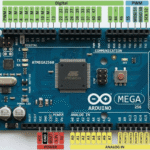
| Arduino Nano | Compact builds like the robotic arm or pet feeder | $22 |
| ESP32 | Projects needing Wi-Fi or cloud logging | $10 |
According to Arduino’s own 2026 documentation, the Uno R4 lineup added a built in LED matrix and USB-C, which makes prototyping noticeably faster than older R3 boards.
Mistakes I Made So You Do Not Have To
- Skipping the current-limiting resistor on an LED. It works for about ten minutes, then it does not.
- Powering a motor directly from the Arduino pin. Use a driver board or you will eventually fry the pin.
- Trusting a breadboard for anything permanent. Solder it once you know the circuit works.
- Ignoring enclosures. A project sitting on a desk behaves very differently once it is bolted to a fence outdoors.
FAQs
Is Arduino still worth learning in 2026? Yes. Arduino remains the simplest entry point for electronics and coding, and it still powers most beginner robotics and IoT courses taught in schools today.
What is the difference between Arduino and Raspberry Pi? Arduino is a microcontroller built for direct, low-level control of sensors and motors. Raspberry Pi is a small computer that runs a full operating system. Use Arduino for simple, always-on tasks and Raspberry Pi for anything needing a screen, camera, or internet browser.
Do I need coding experience to start with Arduino? No. Arduino uses a simplified version of C++, and most beginner projects only need a handful of commands like digitalWrite and analogRead to get running.
How much does it cost to start with Arduino? A basic starter kit with a board, breadboard, sensors, and wires typically runs between $25 and $45.
Can Arduino projects run without being plugged into a computer? Yes. Once code is uploaded, the board runs independently on any USB power source or battery pack.
Final Thoughts
The projects that stick around are the ones built to solve a specific annoyance, not the ones built to look impressive on a shelf. Start with something small, get it running reliably, then let the next annoyance in your house point you toward the next build.
CTA: Pick one project from this list, order the parts today, and have it wired up by the weekend.
Disclaimer: Arduino projects involve electrical wiring and, in some builds, mains-adjacent components. Always disconnect power before wiring, double check polarity, and supervise any project involving children or pets.



Leave a Reply