If you’re just entering the world of electronics, programming, orDIY tech projects, you’ve probably heard about Arduino and Raspberry Pi Foundation.
And honestly, most beginners get confused here.
Should you start with Arduino?
Or is Raspberry Pi the smarter choice?
Here’s the thing… both are amazing, but they are built for different purposes. Choosing the wrong one can make learning harder than it needs to be.
In this guide, we’ll understand this step by step. You’ll learn the real difference between Arduino vs Raspberry Pi, their pros and cons, beginner-friendly projects, programming differences, and which one is easier to start with in 2026.
Whether you want to build robots, automate your home, learn coding, or create IoT projects, this article will help you make the right decision without wasting money or time.
What Is Arduino?
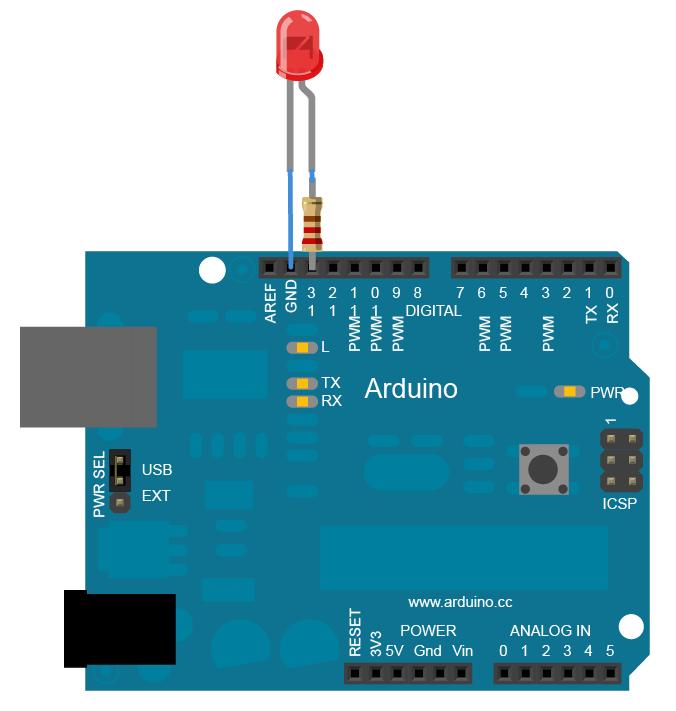
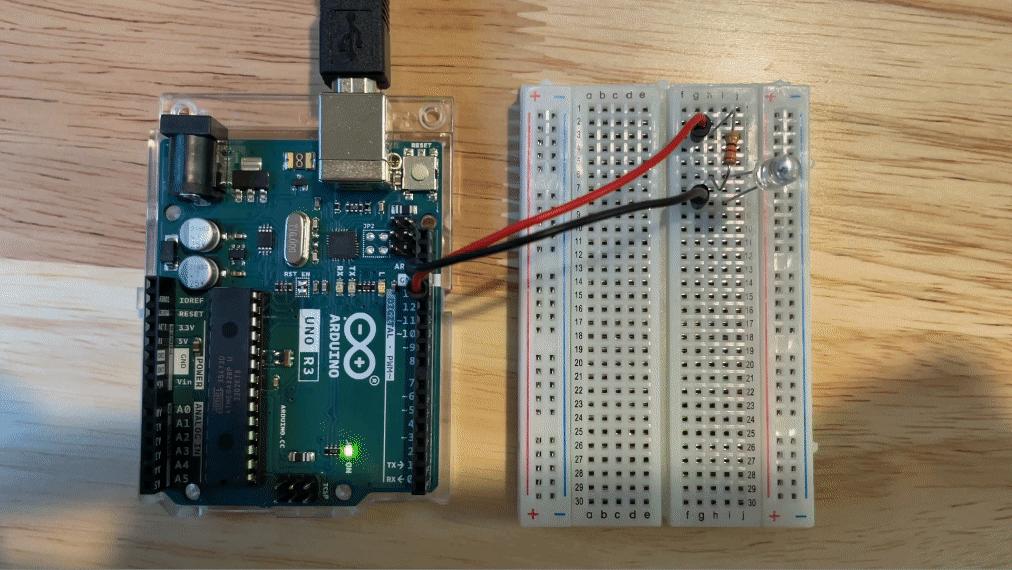
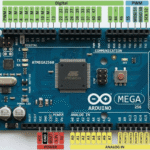
Arduino is a microcontroller-based development board designed mainly for controlling hardware and electronics.
In simple words, Arduino is great for interacting with physical components like:
- LEDs
- Sensors
- Motors
- Relays
- Buzzers
- LCD displays
It doesn’t work like a full computer. Instead, it runs one program repeatedly.
That’s actually why beginners love it. You upload code once, and the board keeps running it automatically.
For example, if you want to:
- Blink LEDs
- Build a smart door lock
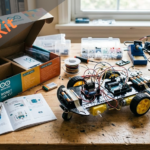
- Create obstacle-avoiding robots
- Read temperature sensors
Arduino makes these tasks simple and affordable.
The most popular board for beginners is the Arduino Uno because it’s cheap, beginner-friendly, and supported by thousands of tutorials online.
What Is Raspberry Pi?
Raspberry Pi is completely different from Arduino.
It’s actually a tiny computer.
Yes, a real computer.
You can connect a monitor, keyboard, mouse, and even browse the internet using it. Most Raspberry Pi boards run Linux-based operating systems.
That means you can:
- Use Wi-Fi and Bluetooth
- Run applications
- Watch videos
- Build servers
- Program in Python
- Create AI and IoT projects
In real projects, this matters a lot because Raspberry Pi has far more processing power than Arduino.
But there’s a catch…
It’s also slightly more complex for complete beginners.
Arduino vs Raspberry Pi: Main Differences
Here’s a simple comparison table to understand things quickly.
| Feature | Arduino | Raspberry Pi |
|---|---|---|
| Type | Microcontroller | Mini Computer |
| Operating System | No | Yes |
| Beginner Difficulty | Easy | Medium |
| Programming | C/C++ | Python, C++, more |
| Best For | Electronics projects | Computing & IoT |
| Power Consumption | Very Low | Higher |
| Startup Time | Instant | Takes time to boot |
| Price | Usually cheaper | Usually more expensive |
Most beginners make this mistake: they think Raspberry Pi is simply a “better Arduino.”
It’s not.
They solve different problems.
Arduino focuses on hardware control. Raspberry Pi focuses on computing power.
Which Is Easier for Beginners?
For absolute beginners, Arduino is usually easier.
Why?
Because there are fewer things to manage.
You don’t need to install a full operating system or worry about software configuration. You simply:
- Install Arduino IDE
- Connect the board
- Upload code
- Start experimenting
That simplicity helps beginners understand electronics faster.
Raspberry Pi, on the other hand, introduces:
- Linux commands
- Operating systems
- Networking
- File management
- Package installation
Now, that’s not bad. It’s actually useful.
But if someone has zero experience with coding or electronics, Arduino often feels less overwhelming.
Beginner Projects You Can Build
Arduino Beginner Projects
You can build:
- LED blinking systems
- Smart irrigation systems
- Line-following robots
- Home automation projects
- Digital thermometers
These projects teach real electronics concepts.
Raspberry Pi Beginner Projects
With Raspberry Pi, beginners often create:
- Smart mirrors
- Retro gaming consoles
- Media servers
- AI camera systems
- IoT dashboards
These projects are more software-focused.
Arduino Programming Example
One reason Arduino is beginner-friendly is its simple coding style.
Here’s the classic LED blinking example.
// Arduino LED Blink Example

void setup() {
  pinMode(13, OUTPUT);
}

void loop() {
  digitalWrite(13, HIGH);
  delay(1000);

  digitalWrite(13, LOW);
  delay(1000);
}
This code turns the LED on for one second and off for one second repeatedly.
Let’s understand this step by step:
pinMode()sets pin 13 as an outputdigitalWrite()controls the LED statedelay()pauses the program
Most beginners make this mistake: forgetting to select the correct board and COM port inside the Arduino IDE before uploading code.
If that happens, the upload usually fails.
Raspberry Pi Programming Example
Raspberry Pi projects commonly use Python.
Here’s a simple GPIO LED example.
import RPi.GPIO as GPIO
import time

GPIO.setmode(GPIO.BCM)
GPIO.setup(18, GPIO.OUT)

while True:
    GPIO.output(18, True)
    time.sleep(1)

    GPIO.output(18, False)
    time.sleep(1)
This program also blinks an LED.
But unlike Arduino, Raspberry Pi requires:
- A proper operating system setup
- GPIO libraries
- Python installation
That’s why some beginners feel Arduino is simpler at first.
Pros and Cons of Arduino
Advantages
- Very beginner-friendly
- Low cost
- Low power usage
- Great for electronics learning
- Huge online community
Disadvantages
- Limited processing power
- No operating system
- Cannot run advanced applications
Pros and Cons of Raspberry Pi
Advantages
- Powerful processing
- Supports multitasking
- Internet connectivity
- Great for Python programming
- Perfect for AI and IoT projects
Disadvantages
- More setup required
- Higher power consumption
- Slightly steeper learning curve
So, Which One Should You Choose?
Here’s the practical answer.
Choose Arduino if you want to:
- Learn electronics
- Build sensor-based projects
- Control hardware
- Start with simple coding
Choose Raspberry Pi if you want to:
- Learn Linux and Python
- Build smart systems
- Create IoT applications
- Run advanced software projects
Interestingly, many advanced makers use both together.
For example:
- Arduino handles sensors and motors
- Raspberry Pi handles AI, networking, and data processing
In real projects, this combination works extremely well.
Final Thoughts
If you’re completely new to electronics and coding, Arduino is usually the smoother starting point. It’s simple, affordable, and helps you understand hardware fundamentals without too much complexity.
But Raspberry Pi becomes incredibly powerful once you’re comfortable with programming and operating systems.
The good news?
You really can’t go wrong with either.
Start small. Build simple projects. Break things. Fix them. That’s honestly how most makers learn.
And once you gain confidence, you’ll probably end up using both platforms together in future projects.
FAQs
Is Arduino better than Raspberry Pi for beginners?
For complete beginners, Arduino is often easier because it has a simpler setup and focuses mainly on hardware programming.
Can Raspberry Pi replace Arduino?
Not completely. Raspberry Pi is better for computing tasks, while Arduino is better for direct hardware control and real-time operations.
Which is cheaper: Arduino or Raspberry Pi?
Arduino boards are usually cheaper than Raspberry Pi boards.
Should I learn Arduino or Raspberry Pi first?
If you’re new to electronics, start with Arduino. If you already know programming basics, Raspberry Pi can also be a good starting point.
Can I use Arduino and Raspberry Pi together?
Yes. Many advanced projects combine both for better performance and flexibility.




Leave a Reply