The first time I saw the Core ESP32-C3 Board for Arduino, I almost ignored it.
It looked like another tiny development board promising faster performance, built-in Wi-Fi, and Bluetooth. After years of experimenting with Arduino boards, I’d learned that flashy specifications don’t always translate into a better building experience.
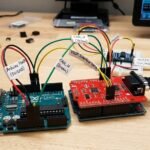
My old Arduino Uno had never let me down. It powered countless beginner projects, helped me understand electronics, and survived more wiring mistakes than I care to admit. Still, every time I wanted internet connectivity, my workbench turned into a maze of jumper wires, Wi-Fi modules, and power adapters.
One weekend, while trying to build a simple weather station, I found myself spending more time fixing wiring problems than writing code. That’s when I remembered the unopened ESP32-C3 board sitting in a drawer.
Five minutes later, it was connected to my Wi-Fi network.
No external modules.
No complicated wiring.
No frustration.
That small moment completely changed how I approached Arduino projects.
If you’re wondering whether the Core ESP32-C3 Board for Arduino is worth buying, this guide shares everything I learned after using it in real projects not just reading the specification sheet.
Quick Answer
If your projects need Wi-Fi, Bluetooth, cloud connectivity, or battery efficiency, the Core ESP32-C3 Board for Arduino is one of the best value development boards available today.
It combines wireless connectivity, low power consumption, and Arduino compatibility in a compact design that’s suitable for beginners and experienced makers alike.
Table of Contents
- What Is the Core ESP32-C3 Board for Arduino?
- Why More Makers Are Choosing It
- Features That Actually Matter
- Setting Up the Board
- Real-World Performance
- Common Beginner Mistakes
- ESP32-C3 vs Arduino Uno
- Pros and Cons
- Who Should Buy It?
- Buying Tips
- Frequently Asked Questions
- Final Verdict
What Is the Core ESP32-C3 Board for Arduino
The Core ESP32-C3 Board for Arduino is a compact development board built around Espressif’s ESP32-C3 microcontroller.
Unlike a traditional Arduino Uno, it includes built-in Wi-Fi and Bluetooth Low Energy (BLE), making it perfect for Internet of Things (IoT) projects without requiring extra wireless modules.
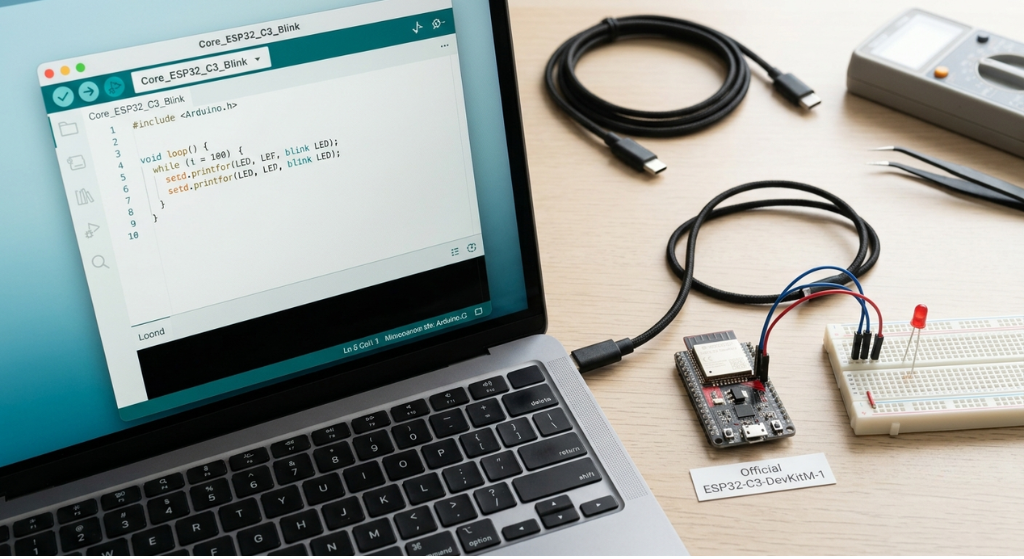
Once the ESP32 board package is installed in the Arduino IDE, programming feels familiar. You still write sketches using setup() and loop(), upload code through USB, and use many of the Arduino libraries you’ve relied on before.
The difference is what the hardware can already do before you connect a single extra component.
Why More Arduino Users Are Switching
After building several projects with both boards, I noticed one big difference.
The ESP32-C3 lets you spend more time creating and less time adding extra hardware.
With a traditional Arduino, wireless communication often means buying separate modules, finding compatible libraries, and troubleshooting additional wiring.
The ESP32-C3 eliminates most of those steps.
For beginners, that’s a huge advantage.
For experienced makers, it simply saves time.
Features That Actually Matter
Built-in Wi-Fi
One of the biggest reasons people upgrade is integrated Wi-Fi.
Instead of purchasing separate wireless shields, the board connects directly to your home network. That makes projects like smart home devices, weather stations, and remote monitoring much easier to build.
Bluetooth Low Energy (BLE)
Bluetooth LE opens the door to wireless communication with smartphones, tablets, and other Bluetooth-enabled devices while keeping power consumption low.
It’s especially useful for wearable electronics and battery-powered projects.
Low Power Consumption
Battery life matters.
Compared to many older development boards, the ESP32-C3 includes several sleep modes that help extend battery-powered projects.
If you’re building outdoor sensors or portable devices, this feature becomes surprisingly important.
Compact Design
Its small footprint makes it easy to fit into compact enclosures while still providing enough GPIO pins for many hobby projects.
Arduino IDE Compatibility
One of the best surprises was how easy the setup process felt.
Programming the ESP32-C3 inside the Arduino IDE feels familiar, making it a comfortable upgrade for anyone already using Arduino boards.
Setting Up the Board
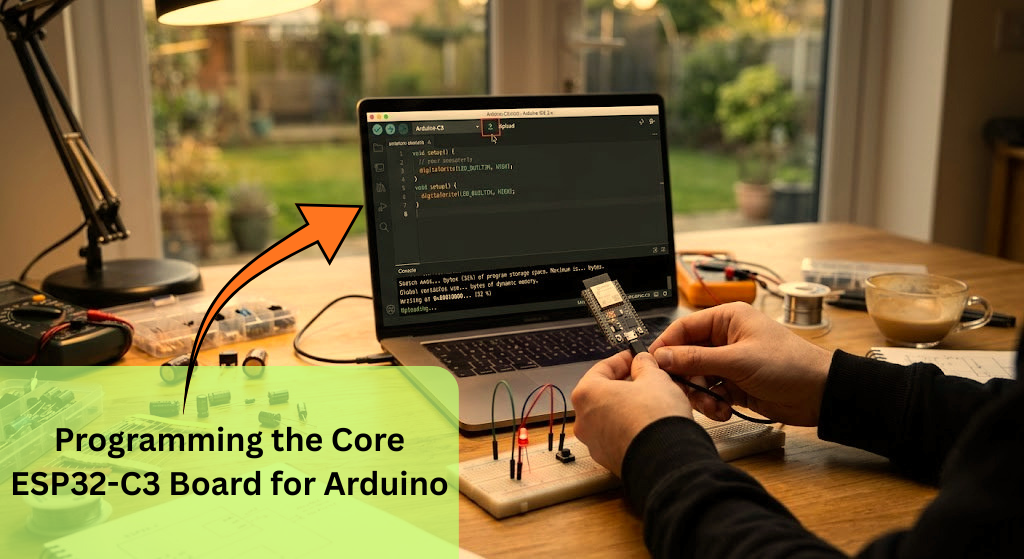
Getting started was easier than I expected.
The basic process looks like this:
- Install the Arduino IDE.
- Add the ESP32 board package.
- Select the correct ESP32-C3 board.
- Connect the board using a USB cable.
- Upload a sample sketch.
- Verify everything works before starting larger projects.
Most beginners finish the setup within a few minutes.
My Experience After Several Projects
Over the past few months, I used the board in several different builds.
Some were simple.
Others became much more ambitious than I originally planned.
Projects included:
- Smart weather station
- Wi-Fi temperature monitor
- Bluetooth LED controller
- Motion detection alarm
- Home automation prototype
- Battery-powered environmental sensor
The board remained stable throughout all of them.
Uploads were quick.
Wireless connectivity stayed reliable.
Power consumption remained impressively low during battery testing.
That doesn’t mean everything was perfect, but I spent far less time troubleshooting hardware compared to older Arduino setups.
Common Beginner Mistakes
Many new users experience the same problems.
Avoid these mistakes:
- Selecting the wrong board inside Arduino IDE.
- Using a charging-only USB cable.
- Forgetting to install ESP32 board definitions.
- Expecting 5V logic compatibility.
- Ignoring power requirements when adding multiple sensors.
Learning these lessons early saves hours of frustration.
Core ESP32-C3 Board for Arduino vs Arduino Uno
| Feature | Core ESP32-C3 | Arduino Uno |
|---|---|---|
| Built-in Wi-Fi | ✅ Yes | ❌ No |
| Bluetooth | ✅ BLE | ❌ No |
| USB Programming | ✅ Native | ✅ Yes |
| Power Consumption | Very Low | Moderate |
| Processing Power | Higher | Lower |
| IoT Projects | Excellent | Limited |
If your goal is wireless projects, the ESP32-C3 is the stronger choice.
The Arduino Uno still shines when learning basic electronics and simple programming.
Pros
- Built-in Wi-Fi
- Bluetooth Low Energy
- Low power consumption
- Affordable price
- Compact design
- Arduino IDE compatible
- Excellent for IoT projects
Cons
- Fewer GPIO pins than larger ESP32 boards
- Uses 3.3V logic
- Some older Arduino libraries need alternatives
- Slight learning curve for beginners
Who Should Buy This Board?
The Core ESP32-C3 is a great choice if you:
- Want built-in wireless connectivity.
- Plan to build smart home devices.
- Enjoy IoT projects.
- Need long battery life.
- Already know basic Arduino programming.
Who Should Skip It?
You might prefer another board if:
- You need many GPIO pins.
- Your projects depend on 5V hardware.
- You’re building large robotics systems.
- You require dual-core processing.
Buying Tips
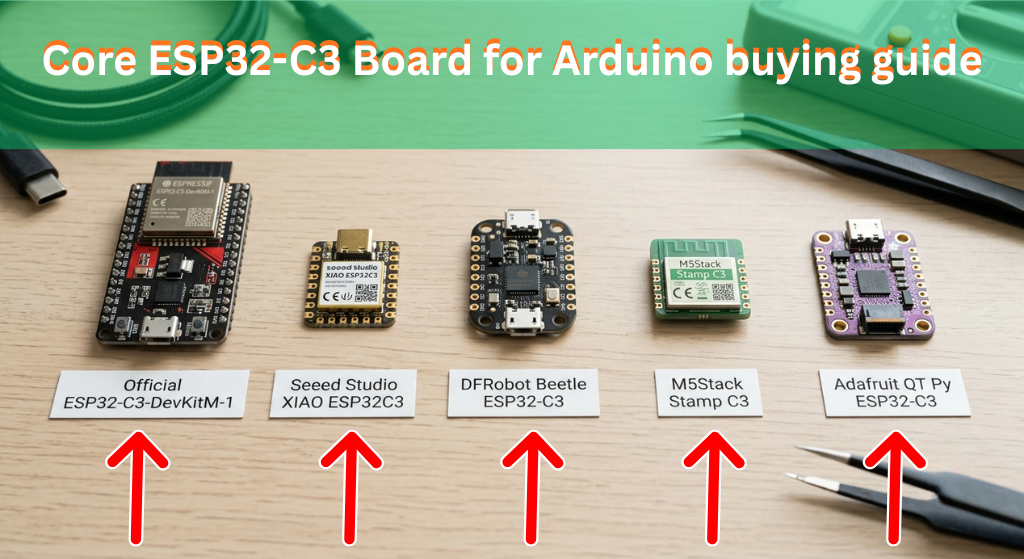
Before purchasing, check:
- USB Type-C or Micro-USB connector
- Flash memory size
- Breadboard compatibility
- Official or trusted manufacturer
- Antenna placement
- Available documentation
Spending a few extra minutes comparing board versions can save a lot of frustration later.
Frequently Asked Questions
Is the Core ESP32-C3 Board for Arduino good for beginners?
Yes. Anyone familiar with the Arduino IDE can learn it quickly.
Does it support Wi-Fi?
Yes. Built-in Wi-Fi is one of its biggest advantages.
Can I use Bluetooth?
Yes. The board supports Bluetooth Low Energy (BLE).
Is it better than an Arduino Uno?
For wireless and IoT projects, yes. For simple learning projects, both boards have their strengths.
Which projects work best?
Weather stations, smart home automation, Bluetooth devices, wireless sensors, and cloud-connected IoT projects.
Final Verdict
After using the Core ESP32-C3 Board for Arduino across several real-world projects, it’s easy to see why it has become so popular among makers.
It reduces wiring, eliminates the need for separate wireless modules, and makes connected projects much easier to build. While it isn’t the right board for every application, it offers an outstanding balance of performance, affordability, and ease of use for most hobbyists.
If you’re ready to move beyond basic Arduino projects and start exploring IoT, wireless automation, and Bluetooth communication, the Core ESP32-C3 Board for Arduino is an upgrade that’s well worth considering.
If you’ve already built something with this board, share your experience in the comments. Your project might inspire someone else’s next creation.



Leave a Reply