
Arduino esp-netif calls saved one of my recent ESP32 projects after WiFi.config() quietly ignored the static IP I kept feeding it. If you have ever set a static address in the Arduino sketch, uploaded it, and watched the board grab a random DHCP lease anyway, you already know the frustration I am talking about.
That bug sent me digging into the networking layer that sits underneath the friendly Arduino WiFi library, and that is where esp-netif lives.
What Arduino ESP-NETIF Actually Is
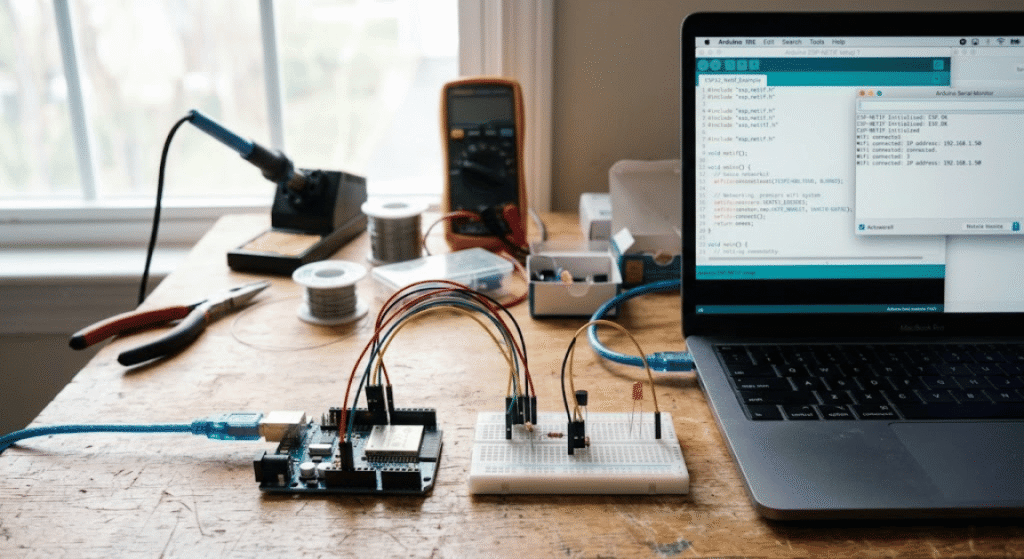
ESP-NETIF is the networking abstraction layer inside ESP-IDF that manages every network interface on the chip, including Wi-Fi station, Wi-Fi access point, and Ethernet. The Arduino WiFi library is really just a friendlier wrapper sitting on top of it, which is why raw esp-netif calls still work inside a normal .ino sketch.
Every Wi-Fi or Ethernet interface on an ESP32 gets represented as an esp_netif_t object behind the scenes. The Arduino core creates these objects for you automatically the moment you call WiFi.begin(), so most people never see esp-netif at all. It stays invisible right up until you need something the WiFi library was never designed to expose.
Key takeaway: You do not need to abandon the Arduino WiFi library to fix a stubborn static IP or hostname problem. You just need to reach one layer deeper, grab the existing
esp_netif_thandle, and configure it directly.
Why You Even Need It When WiFi.h Already Works
For a huge share of projects you genuinely do not. Blinking an LED over Wi-Fi or posting sensor data to a server works fine with plain WiFi.h.
Raw esp-netif calls start earning their keep once a project needs a custom hostname that actually shows up correctly on the router, a static IP that survives reconnects, or a setup running Wi-Fi and Ethernet on the same board at once. I ran into all three on a single home automation project, and WiFi.config() alone could not handle the hostname part no matter what I tried.
The Code That Finally Worked For Me
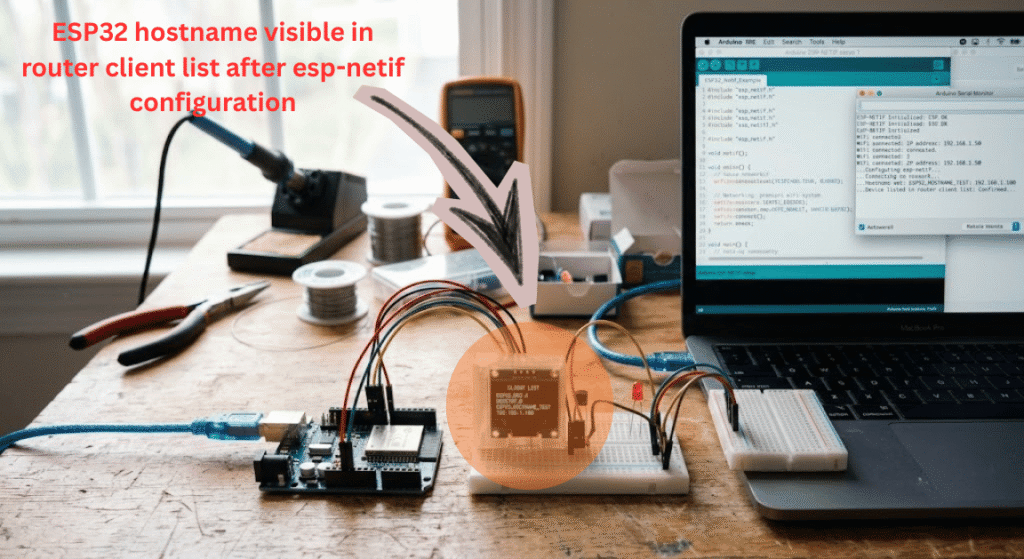
This is the version that actually compiled and ran on an ESP32 dev board using the current arduino-esp32 core. It connects over Wi-Fi first, then reaches into the underlying esp-netif handle to set a custom hostname and print the assigned IP.
cpp
#include <WiFi.h>

extern "C" {
  #include "esp_netif.h"
}

const char* ssid = "your-network-name";
const char* password = "your-network-password";

void setup() {
  Serial.begin(115200);
  WiFi.begin(ssid, password);

  Serial.print("Connecting");
  while (WiFi.status() != WL_CONNECTED) {
    delay(500);
    Serial.print(".");
  }
  Serial.println();

  esp_netif_t *staNetif = get_esp_interface_netif(ESP_IF_WIFI_STA);

  if (staNetif != NULL) {
    esp_netif_set_hostname(staNetif, "workshop-sensor");

    esp_netif_ip_info_t ipInfo;
    esp_netif_get_ip_info(staNetif, &ipInfo);

    Serial.print("Assigned IP: ");
    Serial.println(IPAddress(ipInfo.ip.addr));
  } else {
    Serial.println("Could not get netif handle");
  }
}

void loop() {
}
The part that matters is get_esp_interface_netif(ESP_IF_WIFI_STA). That single call is what hands you the same esp_netif_t object the Arduino core already created internally, so there is no need to build a second interface from scratch or call esp_netif_init() again.
For a fixed static IP instead of DHCP, set it before the interface starts, using esp_netif_set_ip_info() with your own esp_netif_ip_info_t structure containing the IP, gateway, and netmask, and call esp_netif_dhcpc_stop() on that interface first.
Mistakes That Cost Me An Afternoon
- Forgetting the
extern "C"wrapper. The esp-netif headers are C, not C++, and skipping this wrapper throws confusing linker errors that look nothing like the actual problem. - Calling
esp_netif_init()a second time. The Arduino core already calls it when you useWiFi.begin(). Calling it again does not crash the board, but it wastes a step and confused me for longer than I want to admit. - Setting the static IP after the interface already grabbed a DHCP lease. Timing matters here. Stop the DHCP client and apply the new IP info before the connection completes, not after.
- Mixing up interface types.
ESP_IF_WIFI_STAandESP_IF_WIFI_APare different objects. Grabbing the wrong one silently configures the wrong interface.
When Raw ESP-NETIF Beats WiFi.config()
Every trade-off has an honest downside, and this one is no exception. WiFi.config() is genuinely easier to read for a beginner, and it covers static IP for a single Wi-Fi station interface just fine in most cases.
Raw esp-netif calls make sense once your project outgrows that single case, based on my own experience rebuilding the same firmware for a dual Wi-Fi and Ethernet gateway. The extra verbosity buys you direct control over hostname, multiple interfaces, and lower-level events that the Arduino wrapper simply does not expose.
If your project only needs a single station interface with a static address, [[INTERNAL LINK: ESP32 WiFi.config() static IP tutorial]] is genuinely the simpler path, and dropping down to esp-netif would be overkill.
FAQs
Does the Arduino IDE support esp-netif out of the box? Yes, as long as you are using the arduino-esp32 core. Wrap the header include in extern "C" and the same functions used in ESP-IDF projects work inside a standard .ino sketch.
Why does esp_netif.h say “No such file or directory”? This usually means an outdated arduino-esp32 core version, or a missing extern "C" wrapper around the include, which confuses the compiler into looking in the wrong place.
Can I use esp-netif with both Wi-Fi and Ethernet at the same time? Yes. Each interface gets its own Arduino esp-netif handle, so a board running Wi-Fi and an Ethernet module side by side can configure both independently without conflict.
Will esp-netif code break in future Arduino core updates? It can, since Espressif periodically updates the underlying ESP-IDF version bundled with the Arduino core. Test any esp-netif code again after upgrading boards through the Arduino IDE board manager.
Final Thoughts
Arduino esp-netif calls are not something most sketches ever need, and that is fine. But the day a static IP silently reverts to DHCP or a hostname refuses to show up on the router, dropping one layer below WiFi.h is a small change that fixes a genuinely annoying problem.
If you have run into a different esp-netif quirk on your own board, drop it in the comments. I read every one.
Disclaimer: This tutorial reflects the arduino-esp32 core and ESP-IDF version available at the time of writing. Espressif updates these libraries often, so verify function names and behavior against the official ESP-NETIF documentation before using this code in a production project.





Leave a Reply